Director Preview Guide
This public guide gives tournament directors a practical overview of the workflow, from tournament setup through registration, squads, lane assignments, scores, and standings. The full step-by-step Manager Guide is available inside BowlBoard after director or manager access is approved.
Workflow Overview
BowlBoard starts with a draft tournament, then gives directors and managers connected tools for setup, registration, tournament-day operations, and results.
1. Set up the tournament
Create the draft, choose the organization and bowling center, add dates, configure handicap settings, pricing, events, formats, squads, and optional side pots.
2. Open registration
Publish when ready, or apply credits first to keep the tournament in draft while managers work with bowlers before the public page goes live.
3. Run the event
Use the dashboard, squad tools, desk check-in, lane assignment pages, score sheets, score entry, standings, and reports to keep operations organized.
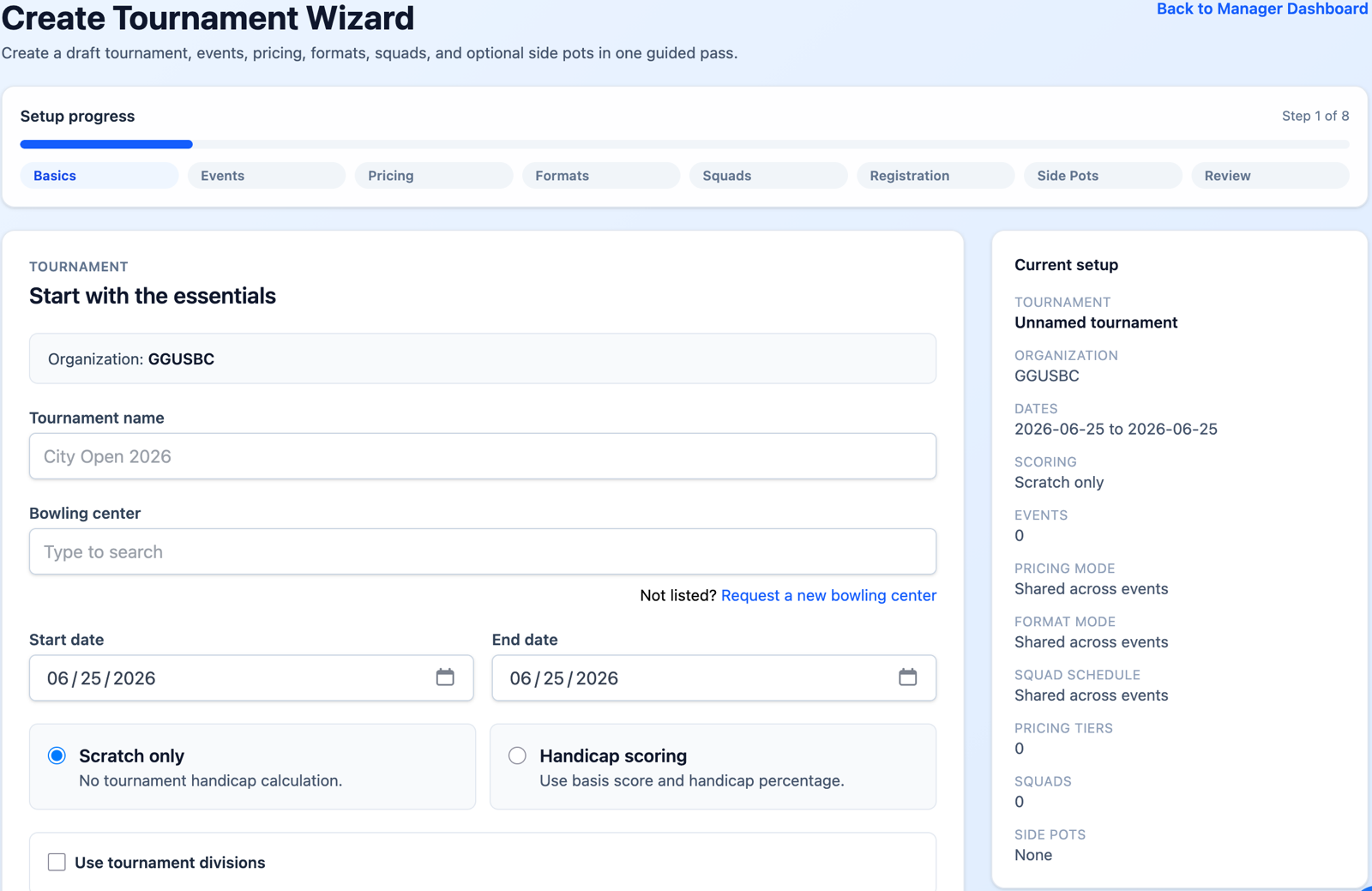
Directors can use the Create Tournament Wizard for a guided pass through the main setup choices. Tournaments start as drafts, so setup work can happen before anything appears publicly.
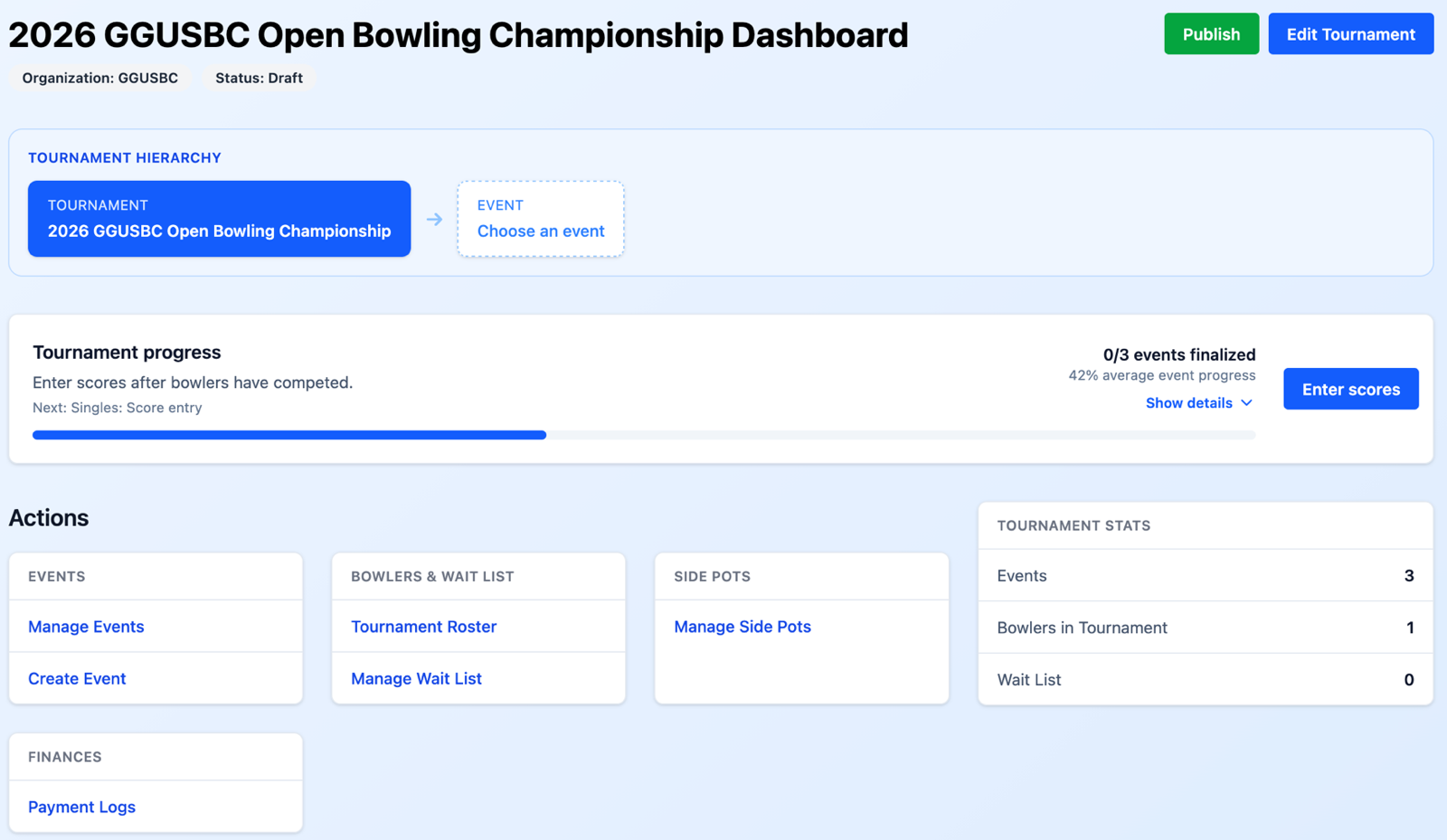
The Tournament Dashboard is the main control point after a tournament exists. It shows status, setup progress, and links into the areas that need attention.
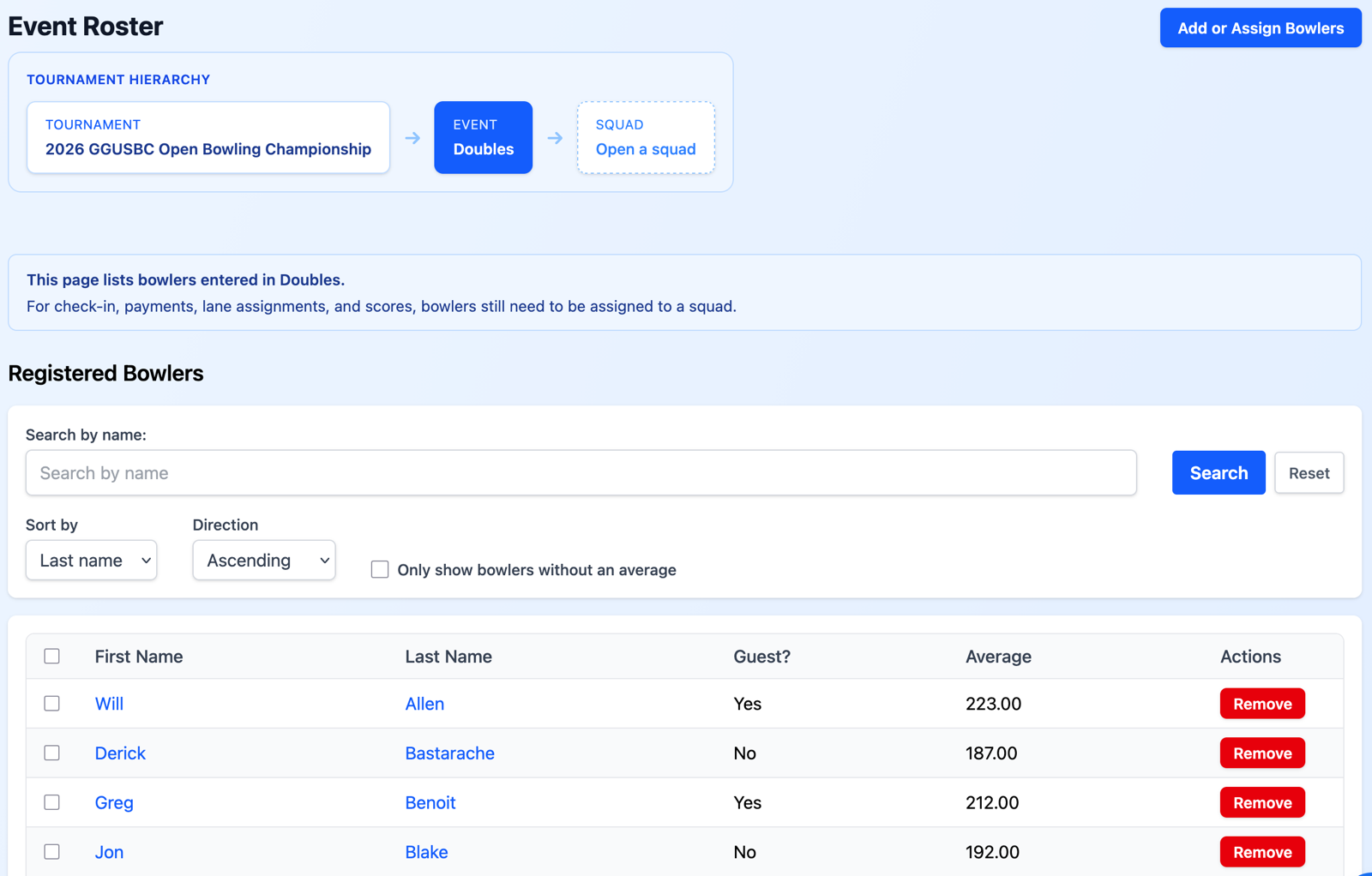
Bowlers can register from public tournament pages, while managers can still add or adjust bowlers from the management side when staff need to help.
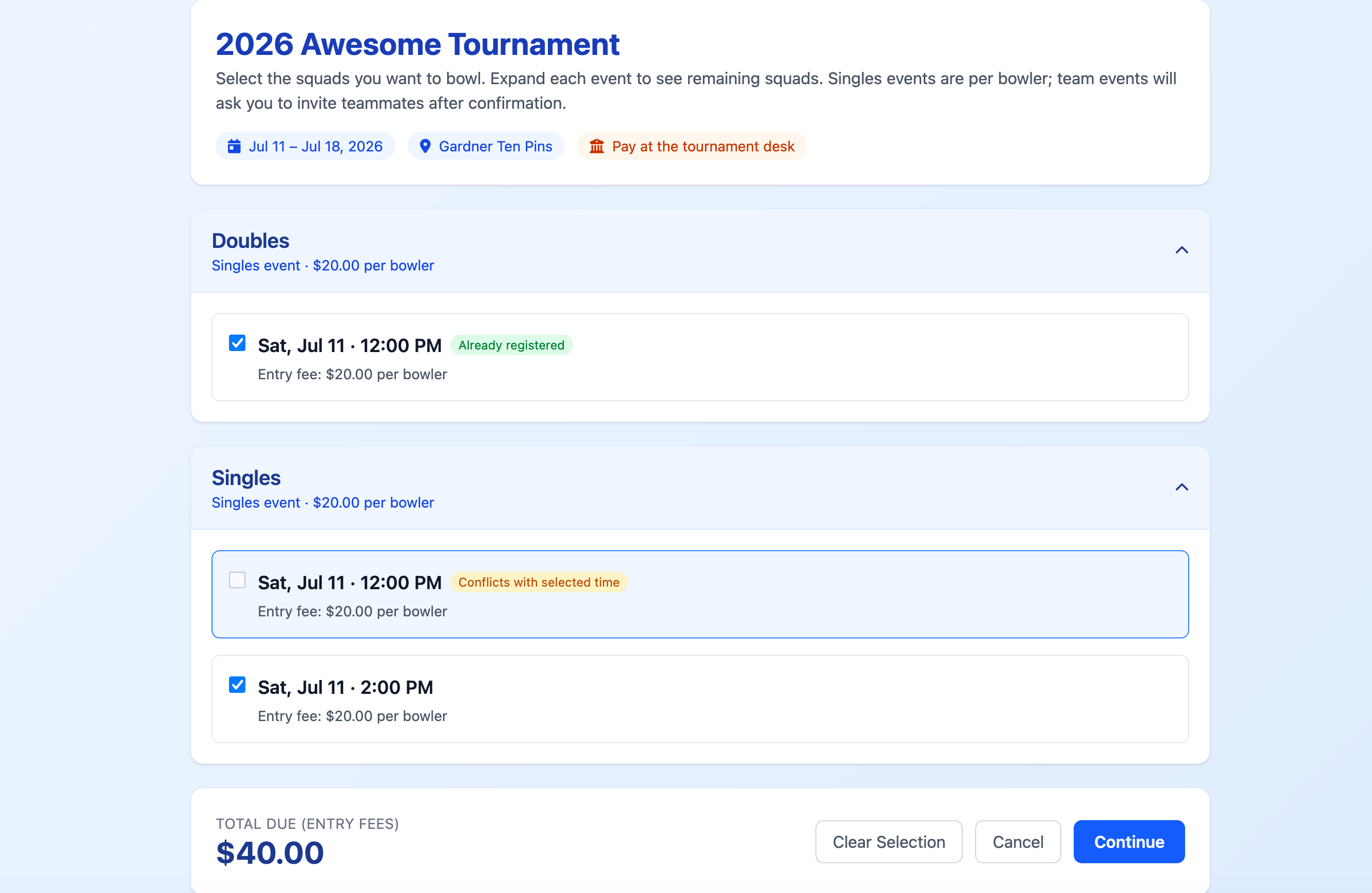
Squads define when bowlers compete. Team events add captain and roster workflows so directors are not forced to manage every teammate manually.
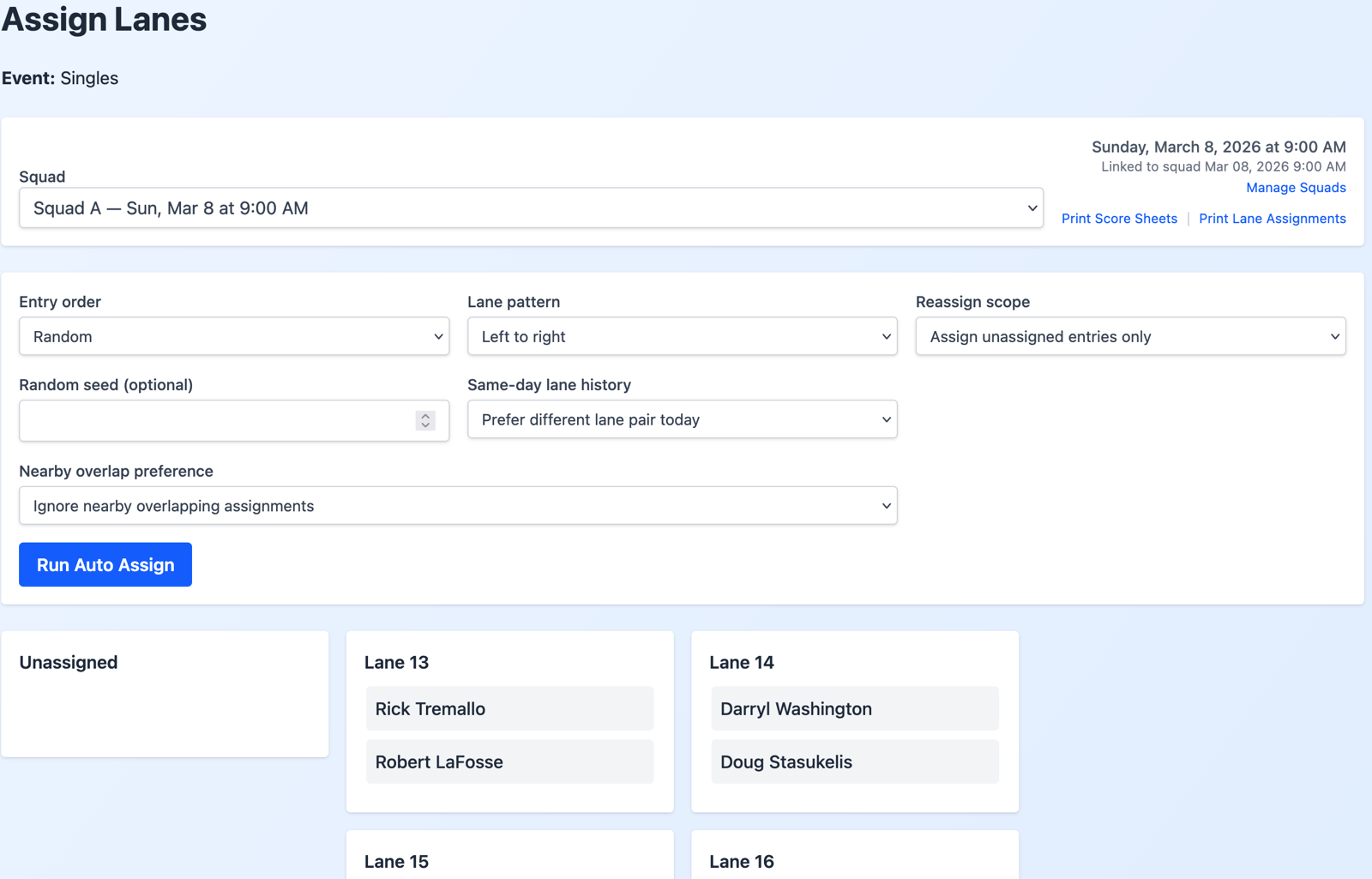
Lane tools organize what bowlers see, what staff print, and how score entry is arranged. Assignments can be automatic, manual, or adjusted after review.
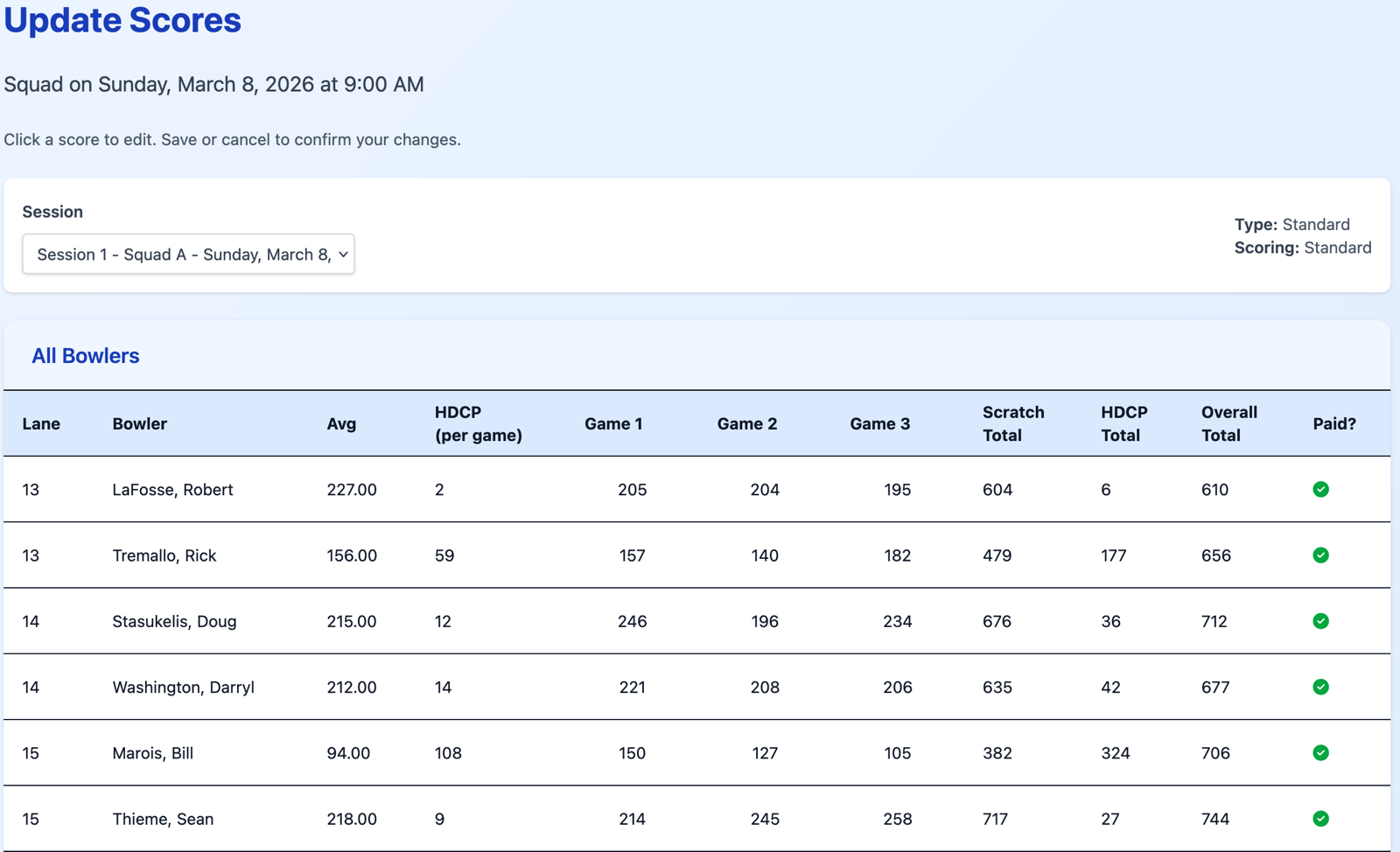
BowlBoard supports score sheets, score entry, scratch and handicap standings, and public results workflows for the formats configured in the event.
Reusable Tournament History
BowlBoard helps from the first tournament by keeping setup, registration, squads, lanes, scores, and standings in one workflow. As your organization runs future events, saved history can reduce repeated data entry.
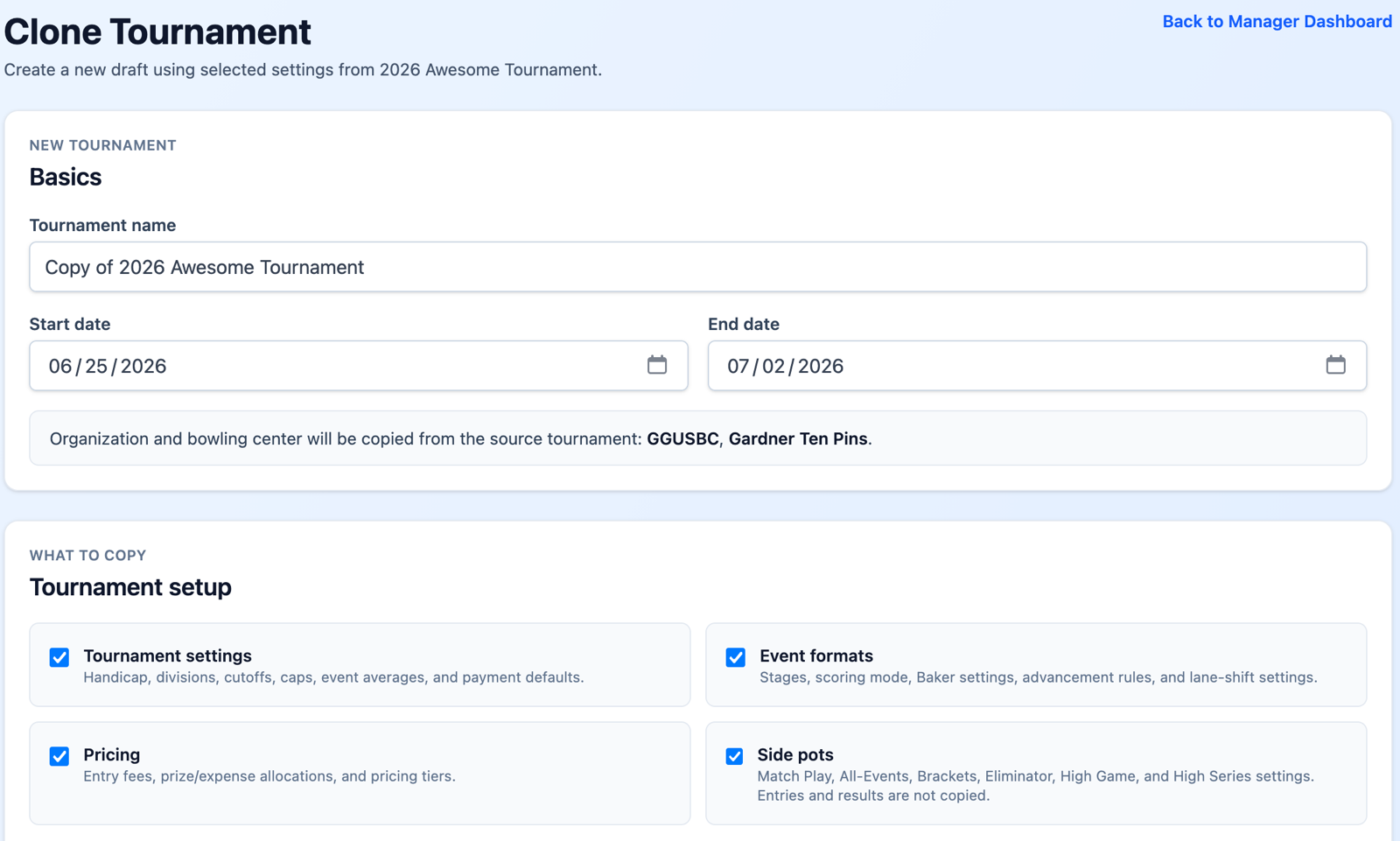
That history can include participant profiles, USBC IDs, averages, past participation, team context, and tournament rosters. When you clone a tournament, BowlBoard can copy selected setup, pricing, side-pot settings, squad structure, roster records, teams, squad registrations, and lane assignments depending on what you choose.
New Director Launch Pass
For a limited time, approved new organizations receive 10 included publishing credits with the New Director Launch Pass. Use them across multiple 100-bowler tournaments, larger-cap tournaments, unlimited-cap events, or anything in between.
1 credit
100
unique bowlers
2 credits
200
unique bowlers
3 credits
Unlimited
unique bowlers
Next Step
After creating an account, request organization access to begin the approval process.
